Project GM — Deepwell
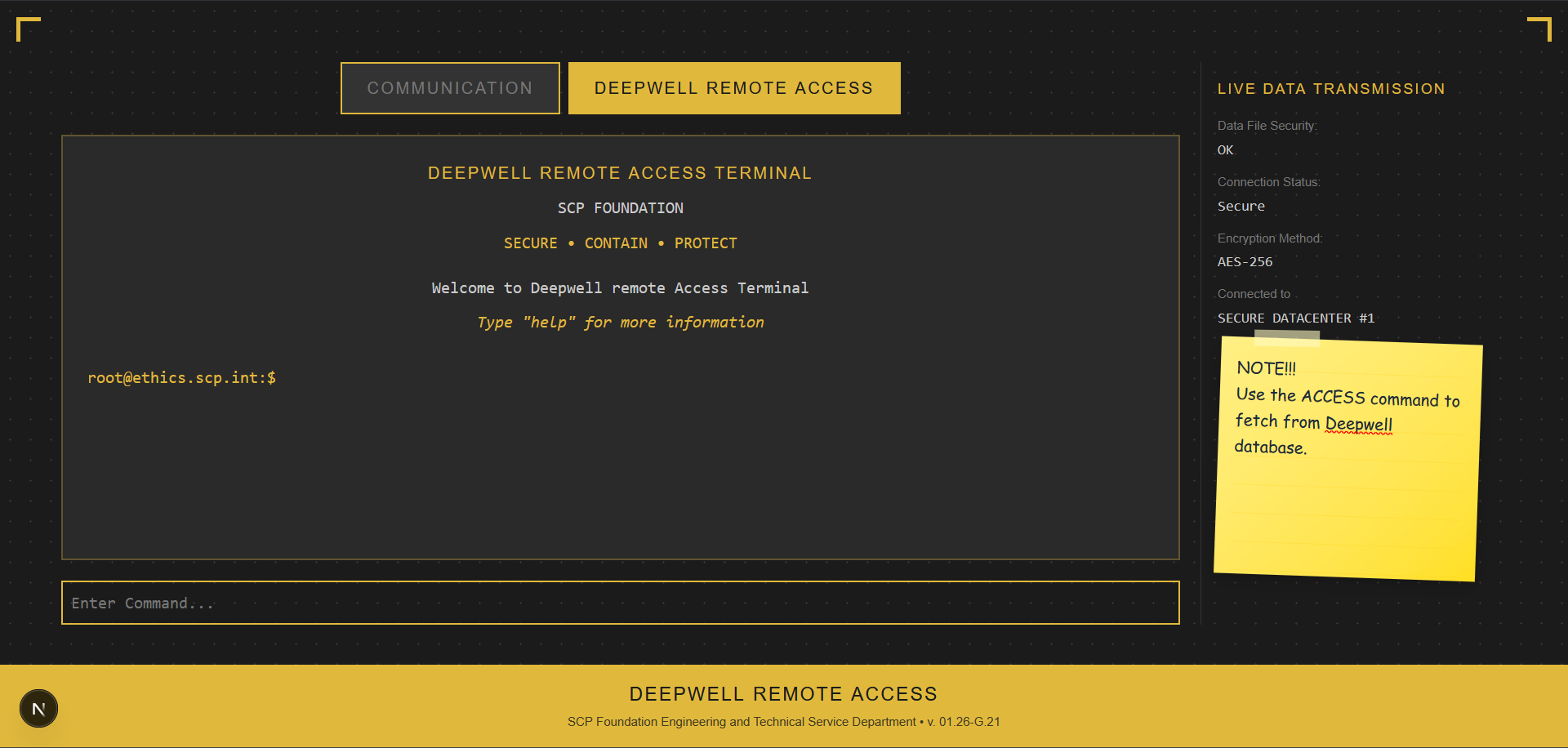
Northwood Studios ran an official ARG for SCP: Secret Laboratory called Deepwell — and Aftermath built the website behind it. This is ProjectGM: a fully custom, lore-accurate terminal interface designed to feel like you're actually accessing a classified SCP Foundation database.
It's one of the more unique things we've worked on. Less about game server plugins, more about crafting an experience entirely through a web interface.
What Is It?
The site presents itself as the Deepwell Remote Access Terminal — a fictional SCP Foundation internal system that players interacted with as part of the ARG. The whole UI is styled like an old-school CRT terminal, complete with a scanline filter, retro typography, ambient background music from the SCP:SL OST, and audio feedback on every interaction — keypresses, button clicks, tab switches, success/error chimes, all of it.
The goal was immersion. You're not visiting a website, you're logging into a secure Foundation server.
The Interface
The terminal has two main tabs:
- Communication — shows live incoming messages (the ARG's MOTD/broadcast system), an active poll, and an inbox with unread notification badges. If you've found passwords, they show up here too with a quick "Run Command" button
- Deepwell Remote Access — the actual terminal prompt. You type commands here, it responds in character
The command set is intentionally minimal and ARG-flavored:
| Command | What It Does |
|---|---|
help |
Shows available commands and lore context |
login / logout |
Discord OAuth authentication |
access [password] |
Submits a found password to unlock hidden lore content |
clear |
Clears terminal history |
The access command is the core ARG mechanic — players would find passwords hidden in external clues (images, audio files, other media Northwood distributed) and submit them here to unlock classified SCP documents, videos, and other lore drops rendered directly inside the terminal.
The Aesthetic
A lot of thought went into making it feel right rather than just look right. A few things worth calling out:
- CRT filter — a CSS scanline and glow effect applied to the whole terminal container, toggleable via settings
- Favicon badge — when unread messages arrive, the browser tab favicon dynamically renders a red notification dot with the unread count, and blinks between the badge and base icon
- Audio — every interaction has its own sound. Keystrokes use a slightly randomized pitch (
0.95 + Math.random() * 0.1) so typing doesn't sound robotic. Background music loops at low volume and persists across sessions vialocalStorage - Sticky preferences — CRT on/off and music on/off are saved to
localStorageso your settings survive a page reload - Post-it note on the sidebar — a small sticky note widget with a reminder about the
accesscommand, adds to the "someone was actually using this terminal" feel
little fun fact: the sample for the keysound was actually from a commodor64 :trolling:
Real-Time Messages
The inbox isn't static. Messages push in real-time over a WebSocket connection to a Cloudflare Durable Object worker — so when Northwood or the event team broadcast a new message, it appears in every open browser tab instantly without a page refresh. Messages are also sorted by timestamp and tracked locally so the unread count stays accurate across sessions.
Built With
The site is a Next.js app deployed on Cloudflare Pages, with the real-time layer handled by a separate Cloudflare Workers Durable Object. The UI is pure React with Tailwind, lore content renders through react-markdown with GFM and YouTube embed support, and auth is handled via NextAuth with Discord OAuth